What is a Group?
In q5play a Group is a collection of and blueprint for sprites with similar traits and behaviors. For example the dots in Pac-Man!
group.lengthlen(group) can be used to check how many
sprites are in a group. In this example the while loop condition is true as long as the dots group
has less than 24 sprites.
In the code example, new dots.Sprite()dots.Sprite.new() creates a sprite that inherits the dots group's color, y
position, and diameter. Each dot is assigned a unique x position.
You can access a sprite in a group by index because groups are arrays. You can use any of the standard JavaScript array methods on a group.like Python lists.
Setting a group's property to a different value will affect all the sprites in the group! I call this "dynamic inheritance".
Using movement functions like moveTowards on a group, will cause all the sprites in a
group to move.
Property Setters
If you set a group property to an arrow =>a
lambda lambda function, each new sprite created using that group will use
the function to evaluate the property.
When group.amount is adjusted, the group will automatically create or delete sprites to
match the set amount.
In this code example, each gem sprite is assigned a random position on the canvas.
Indexed Setters
ArrowLambda setters can use the sprite's index in the group!
The index, i, is given as an input parameter to the group's arrowlambda setters. It can be used to calculate
the new group sprite's properties.
Collisions and Overlaps
Contact relationships can be made between groups. Use:
collides, colliding, collidedoverlaps,
overlapping, overlappedpasses
(For more info, be sure to read the pages on sprite collisions and overlaps first.)
Provide collision and overlap functions with a callback function as a second input parameter.
If a contact event occurs, the callback function is run and as input parameters it receives the sprites involved in the event and the duration of the contact.
In this code example the callback function receives the player sprite and the gem sprite in the gems group that the player overlaps. That gem gets collected (deleted).
Tiles
The tile property of groups and sprites can be set to a unique character.
The addTiles function can create sprites based on the positions of their tile
character in a string. It accepts:
- a tile map, as a string or array of strings
- coordinates of the first (top left) tile
- [optional] column width and row height
Note that in the tile map, other characters indicate that no sprites should be made at that position on the tile grid.
Try it!
Try editing the tile map in this example.
Did you know?
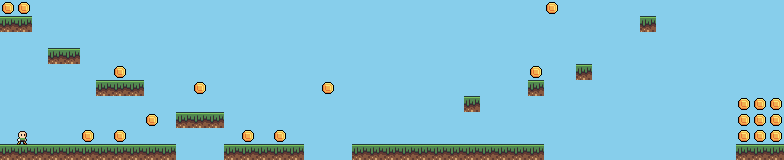
The developers of Super Mario Bros. used graph paper to plot out levels and had to type out the coordinates of every sprite in the game.
Check out this ➡️ platformer demo that uses addTiles to create a level.
Custom Properties
You can add your own properties to sprites and groups, just like with any other JavaScript objectPython object!
Also when you add custom properties to a group, they will be inherited by new group sprites. You can even use arrowlambda functions as property setters.
Sub Groups
In this code example there are two sub groups of the boxes group:
smallBoxes and bigBoxes.
New sprites created using the bigBoxes group will inherit traits from the
boxes group but not from the smallBoxes groups.
The boxes group contains all the sprites in the smallBoxes and
bigBoxes groups.
The delete function deletes the group itself, only use it if you don't want to use the
group again. If you want to delete all the sprites in a group, use the deleteAll
function.
allSprites Group
q5play creates an allSprites group that contains all the sprites in a sketch. Every
group you create is a sub group of it.
Culling
By default, sprites are removed when they go 10000 pixels offscreen relative to the camera's position. This is to prevent the world from getting too big, which would slow down the physics simulation.
To change this, set allSprites.autoCull = false or use the cull function to
set a different cull boundary. Note that it can even cull sprites that don't have a physics
collider.
Sprites that cross the cull boundary are removed by default. As the last input parameter to the
cull function, you can insert a callback function. When called, it receives the sprite
that was culled and a total count of how many sprites were culled on that frame.
Note that in this example, the amount of balls decreases if more than one ball is culled in one frame.
life
Another way to limit how long a sprite exists is to set its life property, which is the
number of frames that the sprite exists for. When the sprite's life reaches 0, it will
be removed. This is useful for creating temporary objects like projectiles and force fields.
Try out this little game! Click the mouse to create a beach ball and try keeping it in the air with the water stream.
Group Draw
Just like with the sprite.draw function, you can use group.draw to
manually control when groups are drawn inside the q5 draw loop.
Any sprites or groups that are not drawn manually will be automatically drawn at the end of the
draw loop, unless their autoDraw property is set to false.
Note that if you want to manually draw sprites or groups and use the camera, you'll have to manually turn the camera on and off.
Group Update
The group.update function runs the sprite.update function of every
sprite in the group. To prevent automatic updating set autoUpdate to false.